Introduction
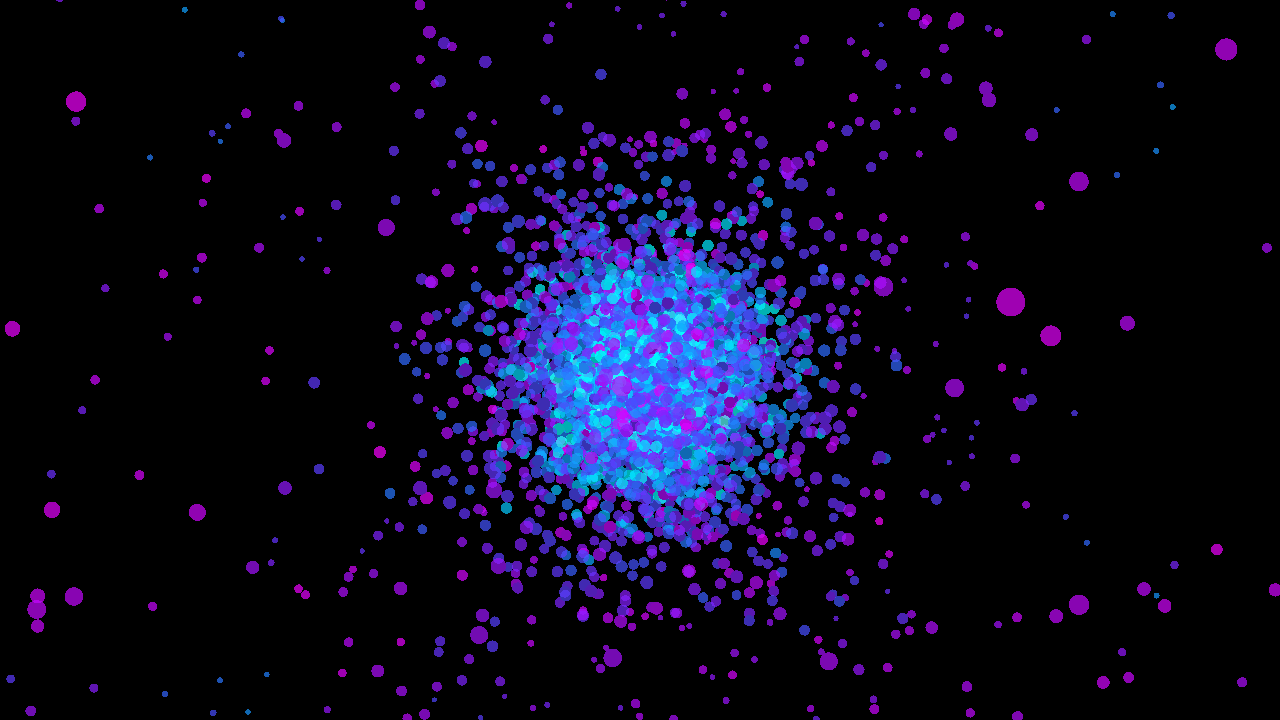
physim is a versatile pipeline-based framework for running N-Body simulations. At its core, physim creates a system composed of entities and the state of the system is evolved through modular components at regular timesteps. On each timestep, the state of the system is rendered. physim’s functionality come from plugins. These plugins provide components which let users customise how:
- entities are created
- forces are calculated
- numerical integration is performed
- the system is rendered
For example, you may want to simulate a globular cluster with 10,000 stars. You can compose how your system evolves through configuring which elements will be used in your simulation.
# simulation of a plummer sphere with gravity
physim global dt=0.01 iterations=1000! plummer n=10000 ! \
    astro theta=0.3 e=0.02  ! rk4 ! glrender

# add collisions
physim global dt=0.01 iterations=1000! plummer n=10000 ! \
    astro theta=0.3 e=0.02 ! collisions ! rk4 ! glrender

# make everything act like a there's also a spring connecting
# it to the centre of the universe
physim global dt=0.01 iterations=1000! plummer n=10000 ! \
    astro theta=0.3 e=0.02 ! shm ! collisions ! rk4 ! glrender
If you are interested in studying the universe through simulation, then I’d recommend using more well established software for your domain (e.g. NEMO). However, if you want to have fun and render cool videos, then physim might be suit your needs.
The first chapter will focus on how to use physim to run simulations and how to render videos. The second chapter will give an example of how a plugin can be made with Rust.
Installation
macOS
The only platform that physim has been pre-built for is macOS (ARM64). The latest release can be found on
the GitHub release page. To download, install and add physim to your PATH, run
$ curl -L https://github.com/jhb123/physim/releases/latest/download/physim-macos.tar.gz \
  -o physim-macos.tar.gz && tar -xzf physim-macos.tar.gz && bash physim-macos/install.sh
Other platforms
If you are planning to use physim on other platforms, you will need to compile the binaries and plugins yourself. This can be done by installing Rust and then building physim from source. The compiled binaries and plugins will be in physim/target/release.
$ git clone https://github.com/jhb123/physim.git
$ cd physim
$ cargo build -r
Adding Plugins
physim will load plugins dynamically at run time. They will be discovered if they are in the same directory as physim. You can specify additional directories that will be searched for plugins, each one separated by :, with the PHYSIM_PLUGIN_DIR environment variable.
$ ls
libastro.dylib            # astro plugin
libglrender.dylib         # glrender plugin
libintegrators.dylib      # integrator plugin
libmechanics.dylib        # classical mechanics plugin
libphysim_attribute.dylib
libphysim_core.dylib      # core library
libutilities.dylib        # utilities plugin
physcan                   # binary for inspecting plugins
physim                    # binary for running simulations
Usage
In physim,the state of a system is represented by entities, and entities have various parameters like position, velocity, and mass. The way the system evolves in physim simulations is determined by elements. Elements are configurable, reusable blocks which usually perform one kind of action on the entities, and elements are made available to physim through plugins. The state of the system is updated at fixed timesteps and the number of timesteps can be configured. Each kind of element is summarised below.
| element kind | description |
|---|---|
| initialiser | Creates the initial state of the simulation |
| synth | Creates new entities during the simulation |
| transform | Calculate a force to apply to the entities. These can be chained together. |
| integrator | A numerical integrator that uses the force calculated by the chain of transforms to update the entities |
| transmute | Directly manipulate the entities |
| renderer | Post processing of the state e.g. render to a window or save to file |
Simulations have the following requirements:
- One integrator must be specified.
- One renderer must be specified.
- At least one transform or one transmute must be specified.
A pipeline can use a mixture of transforms and transmutes. For example, astro is a transform which calculates the gravitational force acting on entities. collision is a transmute which calculates elastic collisions. astro indirectly changes each entity through the integrator selected for the simulation whereas collision directly modifies the velocities of the entities.
TOML configuration
The easiest way to construct your simulations is with a TOML file.
$ physim -f /path/to/simulation.toml
The syntax of this file is as follows:
# simulation.toml
# global parameters that control the length and timestep of the simulation
[global]
dt = 0.002
iterations = 2000

# You need a map of named elements which will be in included in your simulation
[elements]
# each element's parameters can be configured
[[elements.foo]]
a = 1
[[elements.bar]]
b = 2
...
The next example will produce a cube of 10,000 stars using the cube element. The force on each star is calculated using the Barnes-Hut algorithm with the astro element. A 4th order Runge-Kutta numerical integrator, rk4, is used to calculate the new location of each star at each time step. The simulation is rendered to a window with the glrender element.
[global]
dt = 0.01
iterations = 2500

[elements]

[[elements.cube]]
n = 10000
seed = 2
a = 2.0 # side length of the cube in screen-coordinates

[[elements.astro]]
theta = 0.4
e = 0.01

[[elements.rk4]]


[[elements.glrender]]
resolution="1080p"
shader="velocity"
From the CLI
physim simulations can be configured directly in the CLI. Each element is delimited by !, and the properties of the element can be configured as shown below. The same simulation above can be launched with
$ physim global dt=0.01 iterations=2500 ! \
    cube n=10000 seed=2 a=2.0 !  astro theta=0.4 e=0.01 ! \
    rk4 ! glrender resolution="1080p" shader="velocity"
Physcan
physcan is for checking what elements you have available in physim. To inspect an element’s documentation, you can run physim <element>, e.g. physcan astro.
Using stdout and FFmpeg
This guide demonstrates using the stdout with FFmpeg. Once you’re happy that a simulation looks good with glrender, you may want to encode it. stdout renders each frame of the simulation to stdout as 8bit, RGBA pixels. FFmpeg can read this via a pipe. stdout’s can produce 720p, 1080p and 4K (3840 × 2160) video. The
Rendering a video
Since physim simulations can have lots of small moving particles, you may need a high bitrate to reduce the artefacts due to compression.
$ physim global iterations=100 dt=0.1 ! cube ! astro theta=1.3 ! rk4 ! \
 stdout zoom=1.5 resolution=1080p | \
 ffmpeg -y -f rawvideo -pixel_format rgba -video_size 1920x1080 -framerate 60 -i pipe:0 -c:v libx265 -preset slow -crf 16 -x265-params "no-sao=1:deblock=-6,-6:aq-mode=3:keyint=30:level-idc=5.1:tier=high" -pix_fmt yuv420p10le -vf "eq=saturation=1.2" -b:v 50M cube.mp4
Making a thumbnail
To make a thumbnail, you can use the frame parameter. The example below makes a screenshot of the 50th iteration of the simulation.
$ physim global iterations=100 dt=0.1 ! cube ! astro theta=1.3 ! rk4 ! \
 stdout zoom=1.5 resolution=1080p frame=50 | \
ffmpeg -f rawvideo -pix_fmt rgba -s 1920x1080 -i - -frames:v 1 -vf format=rgb24 cube.png
Other handy ffmpeg commands
Add audio with ffmpeg -i input.mp4 -i input.mp3 -c:v copy -c:a aac -shortest output.mp4
Introduction
This chapter will guide you through making a transform element which applies drag to all entities in the simulation. By the end of this chapter, you will know about all the fundamental parts of physim and you’ll be able to create new, interesting simulations.
For more examples of elements, see the physim repository
The boiler plate
This Cargo project contains the dependencies needed to build a plugin for physim. physim-core provides traits and types. physim-attribute provides macros that generate the code which lets physim use the plugin. serde_json is used to parse an element’s configuration at run time. The plugin needs a build.rs script and the rustc_version crate to expose compiler information which physim checks for compatibility. Because the plugin is a dynamically loaded library, you should specify crate-type = ["dylib"].
[package]
name = "example"
edition = "2024"
authors = ["Joseph Briggs"]
license = "MIT"
repository = "https://github.com/jhb123/physim"
version = "0.1.0"

[lib]
crate-type = ["dylib"]

[dependencies]
physim-core = { git = "https://github.com/jhb123/physim" }
physim-attribute = { git = "https://github.com/jhb123/physim" }
serde_json = "1.0.140"


[build-dependencies]
rustc_version = "0.4.1"
The build.rs script should contain
build.rs
use rustc_version::version;

fn main() {
    let rustc_version = version().expect("Failed to get rustc version");
    let target =
        std::env::var("TARGET").expect("Cargo did not set TARGET (this should never happen)");
    let abi_info = format!("rustc:{}|target:{}", rustc_version, target);
    println!("cargo:rustc-env=ABI_INFO={}", abi_info);
}
Your plugin project can be laid out like this
example_plugin/
├── Cargo.toml
├── build.rs
└── src/
    └── lib.rs
Creating a Transform
A plugin contains one or more elements. register_plugin! must name all the elements in a plugin. In this example we are creating a single element, ex_drag, so we write register_plugin!("ex_drag");. If the plugin had more elements, you would list them all in the macro. Besides declaring the elements, register_plugin! sets up the message bus between them and lets the plugin use the same logger as physim.
Each element is defined by adding a macro to a struct. Because we are making a transform element, we need the transform_element macro. This macro also takes a short description which is used by physcan to show users what the element does. With register_plugin! and the transform_element macro, physim can load your element.
register_plugin!("ex_drag");

#[transform_element(
    name = "ex_drag",
    blurb = "Applies a drag force which scales with the square of velocity"
)]
pub struct Drag {
    alpha: f64,
}
A simple model of acceleration due to drag is to scale it with the square of the entity’s velocity. The acceleration, \(\vec{A}\), can be expressed as \[ \vec{A} = \frac{- \alpha v^2 }{m} \frac{\vec{v}}{\left|\vec{v}\right|} \] where \(\vec{v}\) is velocity, \(\alpha\) is the coefficient of drag and \(m\) is the mass of the entity.
To implement this force, you need to implement the TransformElement for Drag.
#![allow(unused)]
fn main() {
impl TransformElement for Drag {
    fn transform(&self, state: &[Entity], accelerations: &mut [Acceleration]) {
        todo!()
    }

    fn new(properties: HashMap<String, Value>) -> Self {
        todo!()
    }

    fn get_property_descriptions(&self) -> HashMap<String, String> {
        todo!()
    }
}
}
On each step of the simulation, the state of the system will be passed to this element. A transform in physim has read-only access to each entity in the simulation. Transforms use this state to calculate an acceleration to apply to each entity. You can use the velocity and mass of each entity to calculate how to update the entity’s acceleration.
    fn transform(&self, state: &[Entity], accelerations: &mut [Acceleration]) {
        for (acc, entity) in accelerations.iter_mut().zip(state) {
            *acc += Acceleration {
                x: -self.alpha * entity.vx * entity.vx.abs() / entity.mass,
                y: -self.alpha * entity.vy * entity.vy.abs() / entity.mass,
                z: -self.alpha * entity.vz * entity.vz.abs() / entity.mass,
            };
        }
    }
new is called when an instance of the element is being created by physim. The element’s configuration comes as a hash map, and this can be parsed with serde. get_property_descriptions serves purely as documentation for your plugin.
    fn new(properties: HashMap<String, Value>) -> Self {
        Drag {
            alpha: properties
                .get("alpha")
                .and_then(|x| x.as_f64())
                .unwrap_or(0.0),
        }
    }

    fn get_property_descriptions(&self) -> HashMap<String, String> {
        HashMap::from([(String::from("alpha"), String::from("Coefficient of drag"))])
    }
Finally, you should implement the MessageClient trait. We aren’t interested in using physim’s inter-element communication bus, so you can leave it empty.
Running cargo build -r will generate a dynamic library. Place this library in the same directory as your physim installation and you will be able to include it in your simulations, e.g.
$ physim ex_drag alpha=0.01 ! cube n=1000 seed=2 a=2.0 ! \
    simple_astro ! rk4 ! glrender ! global dt=0.01 iterations=2500
The whole plugin
#![feature(str_from_raw_parts)]
use std::collections::HashMap;

use serde_json::Value;

use physim_attribute::transform_element;
use physim_core::messages::MessageClient;
use physim_core::plugin::transform::TransformElement;
use physim_core::register_plugin;
use physim_core::{Acceleration, Entity};

// ANCHOR: element_declaration
register_plugin!("ex_drag");

#[transform_element(
    name = "ex_drag",
    blurb = "Applies a drag force which scales with the square of velocity"
)]
pub struct Drag {
    alpha: f64,
}
// ANCHOR_END: element_declaration

impl TransformElement for Drag {
    // ANCHOR: element_transform
    fn transform(&self, state: &[Entity], accelerations: &mut [Acceleration]) {
        for (acc, entity) in accelerations.iter_mut().zip(state) {
            *acc += Acceleration {
                x: -self.alpha * entity.vx * entity.vx.abs() / entity.mass,
                y: -self.alpha * entity.vy * entity.vy.abs() / entity.mass,
                z: -self.alpha * entity.vz * entity.vz.abs() / entity.mass,
            };
        }
    }
    // ANCHOR_END: element_transform
    // ANCHOR: element_props
    fn new(properties: HashMap<String, Value>) -> Self {
        Drag {
            alpha: properties
                .get("alpha")
                .and_then(|x| x.as_f64())
                .unwrap_or(0.0),
        }
    }

    fn get_property_descriptions(&self) -> HashMap<String, String> {
        HashMap::from([(String::from("alpha"), String::from("Coefficient of drag"))])
    }
    // ANCHOR_END: element_props
}

impl MessageClient for Drag {}